
Find the barrier.
Follow it through.
An accessibility finding needs somewhere to go.
Developing Today Accessibility connects website and document audits, manual review, evidence, and reporting. Teams can investigate an issue, track the work, and produce a report people can use.
Explore the accessibility platformThe product screens on this page use demonstration data. Names shown are examples.
Keep the issue
with its evidence.
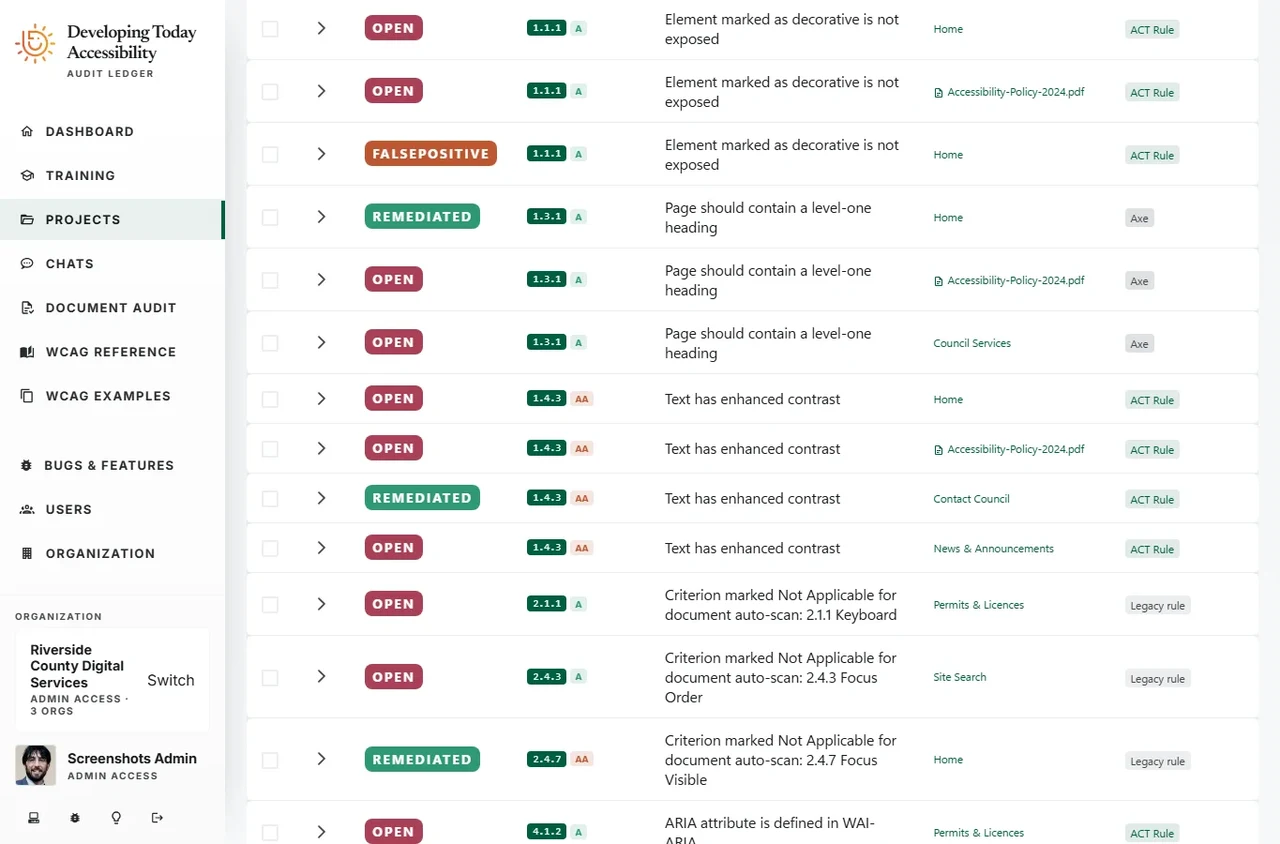
A list of scan results is only useful if someone can investigate it and act. The platform brings findings together with their affected pages, criteria, evidence, and review status.
Reviewers can distinguish an open issue from a false positive or a remediated finding, while keeping the record of that decision with the work.
- Websites and documents
- Review web pages and document accessibility in the same platform.
- Findings that stay connected
- Keep the criterion, affected content, and evidence together.
- A record of the work
- Track review decisions and remediation status as the project progresses.
Leave room
for human judgment.
Automation can identify many barriers. Keyboard use, focus behavior, content meaning, and other questions also need a person to examine the experience.
Manual checklists keep those questions alongside the automated findings. Reviewers can work through criteria and retain the evidence behind their decisions.
Our development target is WCAG 2.2 AA, with AAA criteria applied where possible. The platform supports the review and reporting work needed to explain what was checked.
Read the WCAG 2.2 standard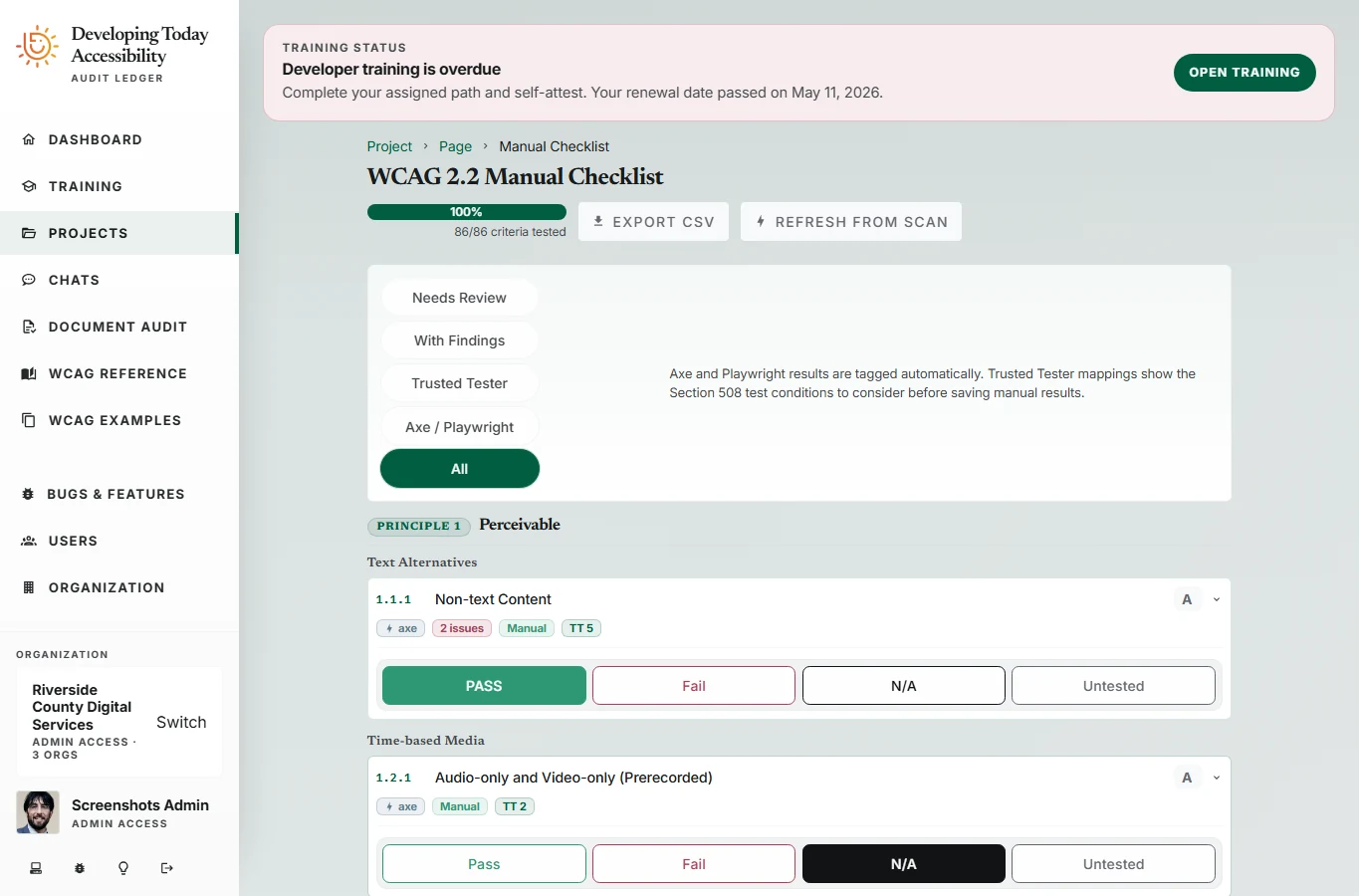
A report worth
putting in front of people.
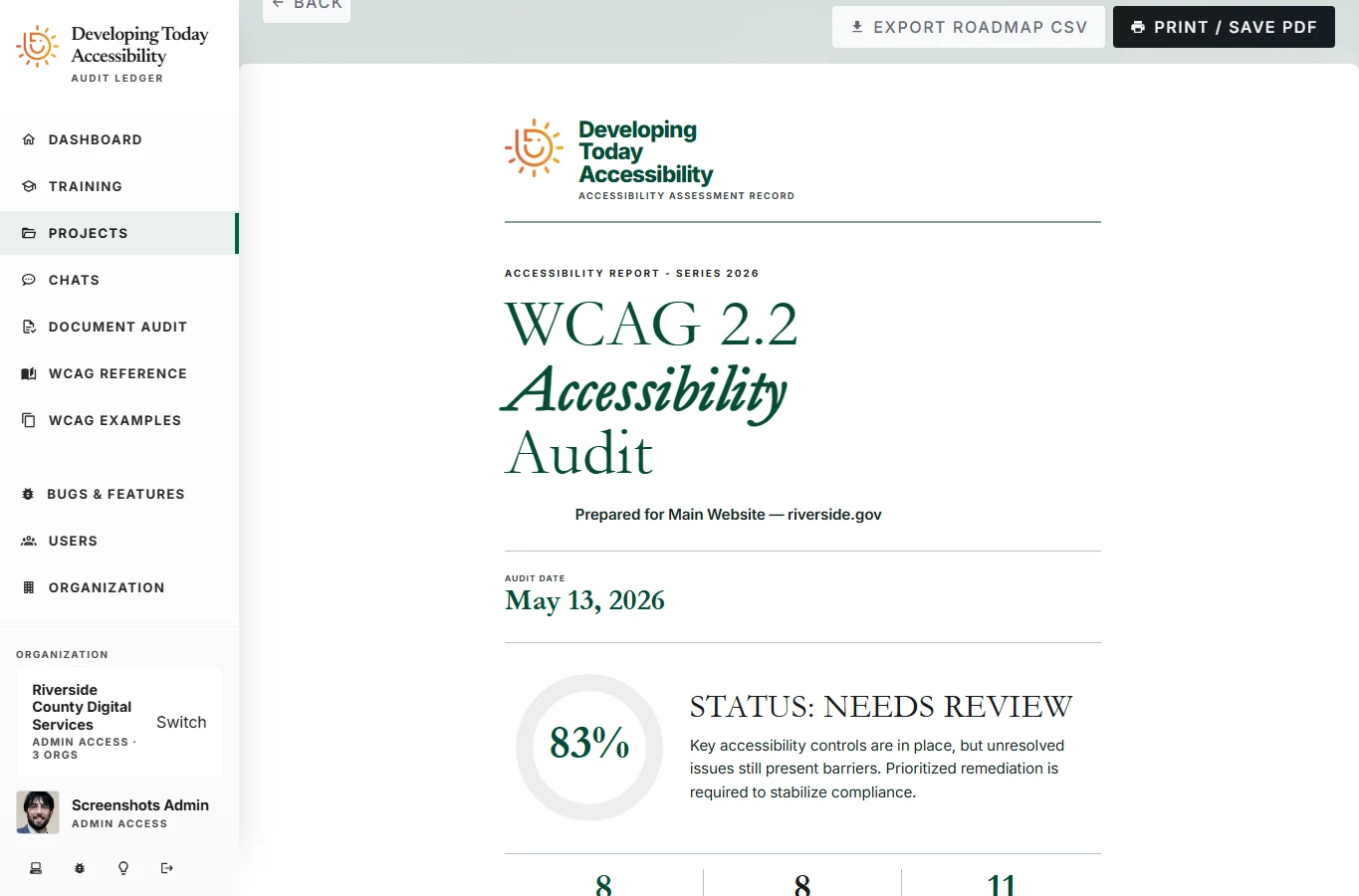
The report turns the assessment into an executive summary, criteria scorecard, detailed findings, and a remediation roadmap. It gives readers a way to understand the work at different levels of detail.
Teams can print or save the report as a PDF and export supporting records as CSV. The examples below show the platform's reporting interface, rather than a separate report assembled for the website.
We put our own
work through the checks.
This agency website is a separate, inspectable validation example. Its CI suite runs axe, IBM Equal Access, browser checks, and mobile and desktop Lighthouse against every redesigned page.
The published results identify the tested build and retain the items that need human review. They complement the platform's broader audit workflow.
See how we validate this website Accessibility in
your pipeline.
Read a project's pages and finding counts, connect audit results to your delivery tools, and keep the review tied to the organization that owns it.
GET /api/orgs/{organizationId}/users/{userId}/audit-projects/{projectId}/pages/
Authenticated API. Bearer token and organization-scoped permissions are required.
curl "https://accessibility.api.developingtoday.net/api/orgs/{organizationId}/users/{userId}/audit-projects/{projectId}/pages/?page=1&pageSize=50" \
-H "Authorization: Bearer <access-token>"Selected endpoints, verified against the implementation. Response examples use demonstration data.
Make accessibility
part of the work.
Talk with us about accessible applications, document workflows, and tools for finding and resolving barriers.
Discuss your project