
From payroll
to IRS filings.
Financial software has to carry the whole job through.
We built ByteWish Foundation's connected timekeeping, payroll, tax-return, and payment-file workflows. The work includes IRS Modernized e-File integration, 1099 exports for IRIS, encrypted financial records, and geographic sales-tax lookup.
Explore ByteWish Foundation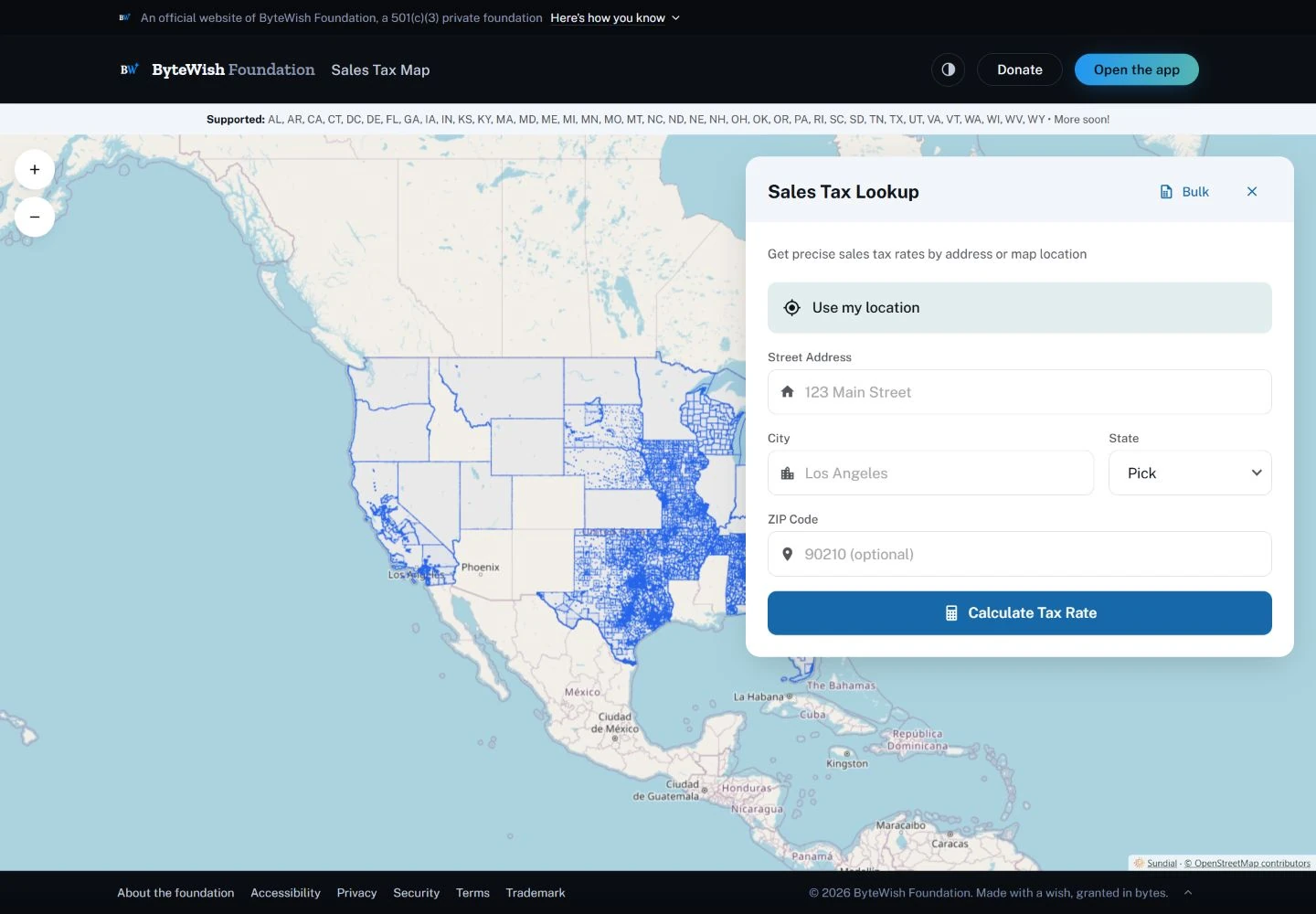
Hours become
financial records.
Time entry is the beginning of a connected workflow. Timesheets, PTO, payroll calculations, paystubs, and client invoicing all need to work with the same underlying records.
We built applications and services that carry those records through payroll and document output, including tax-form workflows and payroll NACHA generation. The work spans employee and administrative views, calculation services, financial documents, and integrations.
- Record the work. Time tracking, timesheets, and PTO.
- Calculate and review. Payroll and client invoicing workflows.
- Produce the records. Paystubs, financial documents, and payroll NACHA output.
The return.
The submission.
The response.
Form 990-PF preparation and MeF transmission; 1099-NEC exports for the IRS IRIS Taxpayer Portal.
Approved for direct IRS filing. We completed the approval work and built the integration behind ByteWish's filing workflow.
A tax return is more than a finished PDF. It has to carry the right records, match the filing format, include its attachments, and keep track of what comes back after submission.
ByteWish's Form 990-PF workflow connects structured preparation, calculations, review, PDF output, and an IRS Modernized e-File submission service. XML is checked against the selected IRS schema before the return and its attachments are packaged for transmission. The application records the returned submission status and preserves rejection details for correction.
IRS MeF schemas and business rules-
Prepare and review
Structured return data, calculated totals, supporting statements, and PDF output.
-
Validate and package
Schema validation, filing headers, submission identifiers, and binary attachments.
-
Transmit and track
Authenticated submission, returned acknowledgement, and a recorded outcome.
-
Correct and continue
Rejection details stay with the return so the filer can address the problem.
1099 records that stay
connected to the export.
Contractor records feed 1099-NEC preparation and CSV output for upload to the IRS IRIS Taxpayer Portal. Each exported batch keeps a fixed record and timestamp. The same batch can be downloaded again without rebuilding it from records that may have changed since the export.
The two filing paths have different jobs: Form 990-PF uses the MeF submission integration; the 1099-NEC CSV is uploaded through IRIS. The workflow keeps preparation, export, submission, and IRS acceptance distinct.
IRS IRIS filing information Protect the records.
Control the action.
Security in the payroll and tax-form application, from sign-in through the submission service.
Explore our application security work- Microsoft identity and organization permissions
- Microsoft sign-in is backed by server-side token checks. Tax-return transmission checks the person's organization and administrator permission before retrieving the return or sending it.
- Encrypted financial fields
- Bank account details and taxpayer identifiers use application-level encryption. Form 990-PF data, attachment metadata, and employee withholding elections are stored in encrypted fields.
- Passkey verification for employee signatures
- Employee self-submission of a federal W-4 requires a verified WebAuthn passkey assertion. The record retains the form version, signer, signature time, and credential reference.
- Service authentication without browser credentials
- The deployed application uses Azure managed identity to obtain tokens for its MeF validation and transmission services. Those service calls happen on the server.
- Changes and outcomes remain traceable
- Tax-form transitions retain the acting user and time. Submission responses and rejection reasons belong to the return; exported 1099 batches retain their own fixed records.
A tax rate belongs
to a place and a date.
A transaction's location matters. So does when it occurred. The Sales Tax Map connects address and map lookup to date-aware jurisdiction data, with bulk sales-file workflows for larger sets of transactions.
Our Sundial mapping engine renders the geography. The application brings that engineering together with the lookup panel and data services people need to use it.
Open the Sales Tax Map 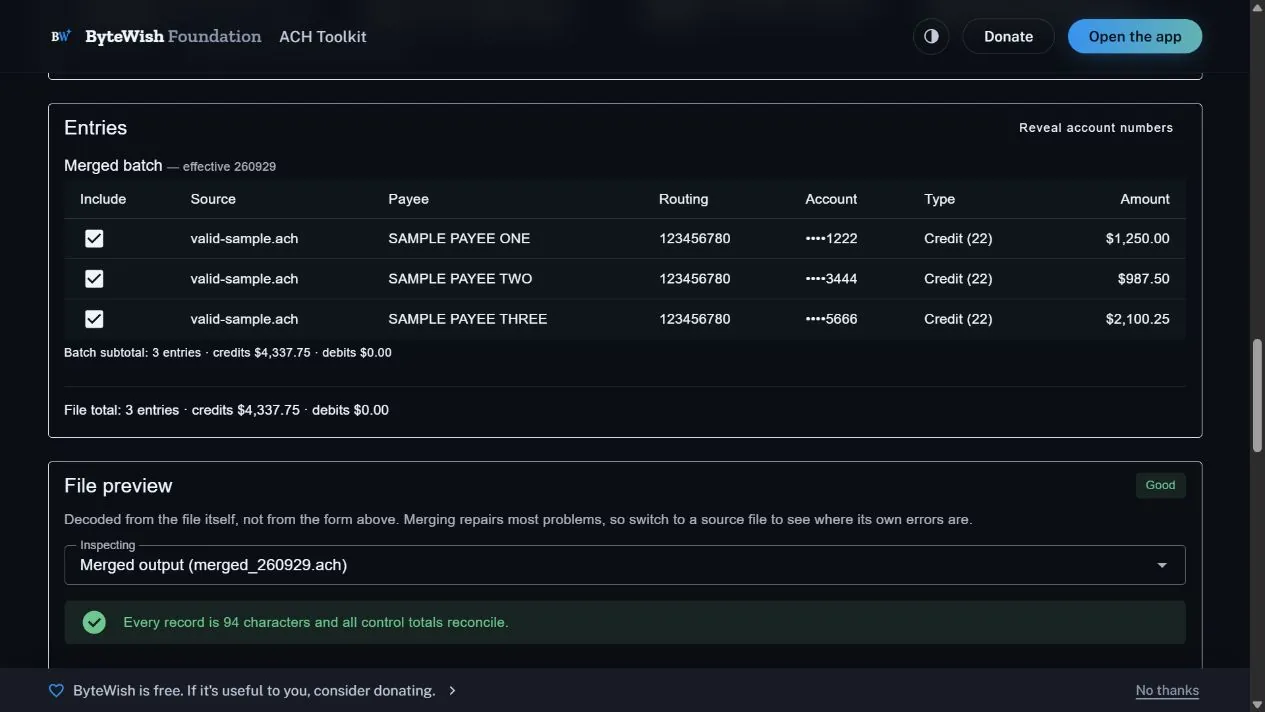
See what is
inside the file.
Bank files should be inspectable. The ACH Toolkit reads, validates, merges, and builds NACHA files, with individual entries, batch totals, and a decoded preview.
The toolkit processes files in the browser without uploading or storing them on a server. That local processing is separate from the payroll application's server-side NACHA generation.
Try the built-in sample to inspect the entries and control totals without supplying a real banking file.
Try the ACH Toolkit Financial rules.
Working integrations.
Useful software.
- Financial workflows
- Connected records, calculations, documents, and file output.
- IRS integration
- Versioned XML, schema validation, submission bundles, acknowledgement handling, and IRIS CSV exports.
- Application security
- Organization permissions, encrypted records, passkey assertions, and managed-identity service calls.
- Geographic data
- Jurisdiction boundaries, location lookup, and date-aware tax data.
- File engineering
- NACHA parsing, validation, merging, construction, and readable previews.
- Useful interfaces
- Tools that help people inspect the records behind their work.
Bring us the work
your software needs to handle.
From financial operations to geographic records, we connect the application, the data, and the output your people depend on.
Discuss your project